
The 4-Layer Smartsheet PMO Architecture That Scales to 500+ Projects
- Bowen Liu
- Mar 5
- 4 min read

Updated: Mar 12

What Changes When You Add Layers
Most Smartsheet PMO setups are flat. Every project feeds a single dashboard. That works until you have multiple programs, multiple stakeholders, and competing priorities that need different levels of visibility.
The 4-layer PMO architecture solves this by separating concerns: each layer aggregates data for a specific audience, passes only what's needed upward, and lets you drill from an executive-level red flag down to the specific task causing it — in 4 clicks.
This isn't a theoretical framework. Smartsheet consultant Bowen Liu built this model for organizations managing hundreds of concurrent projects, and the approach works on a standard Smartsheet Business license. No Control Center required.
The Four Layers of a Smartsheet PMO, Bottom to Top
Layer 1: Project
This is familiar territory. Each project has its own plan with tasks, timelines, owners, and status indicators. This is functionally identical to what the free Smartsheet PMO template provides — and it works well at this level.
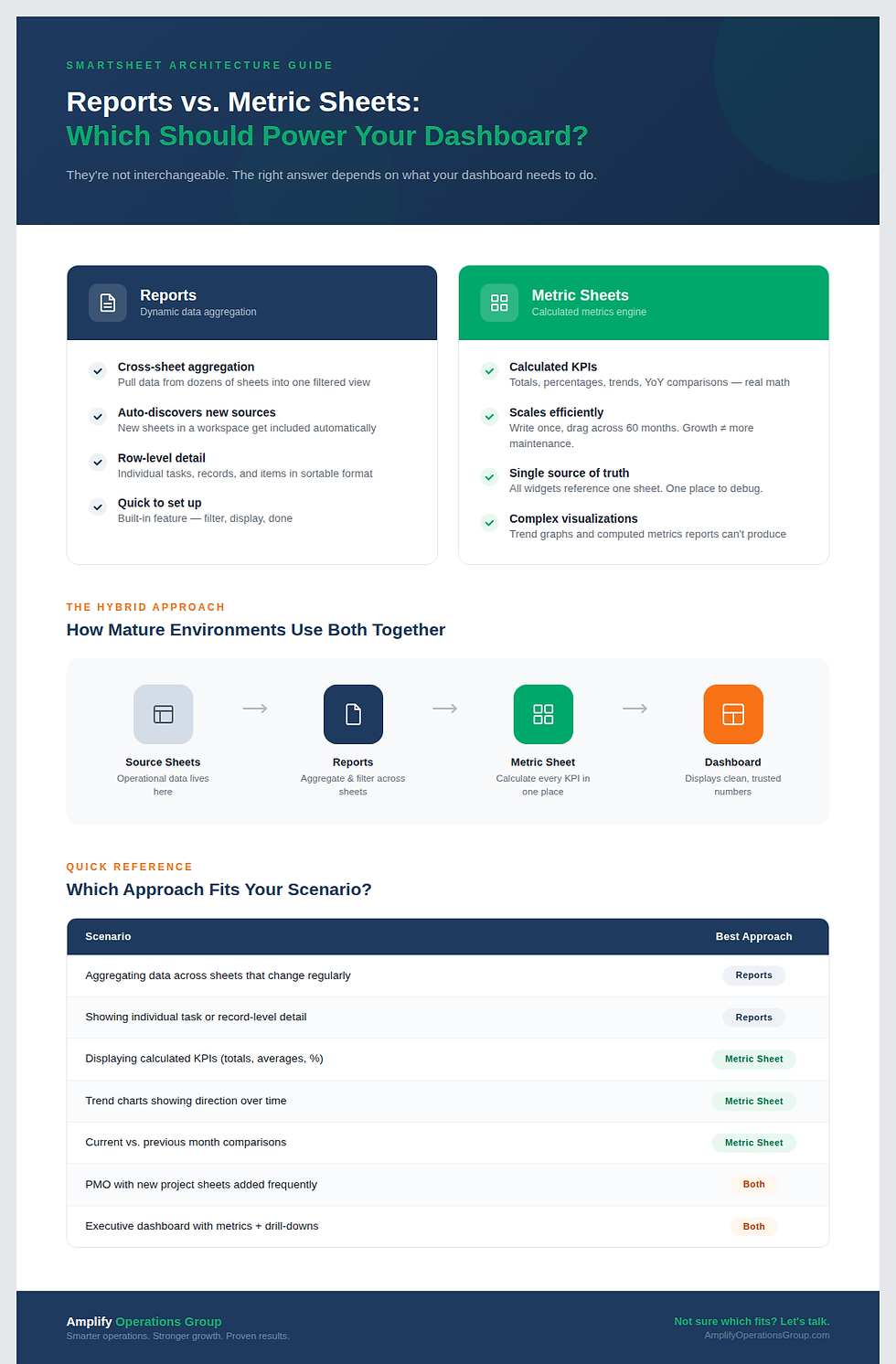
The key addition in a layered architecture is the project metadata sheet. If you’ve followed the metric sheet concept from Week 1, this is the same idea: a dedicated sheet that pulls calculated values from the project plan (percent complete, schedule health, overdue task count) and makes them available to the layer above. The metadata sheet enables clean rollups without brittle cross-sheet formulas that reach into every row of every plan.
Layer 2: Program
The programs group relates projects. A digital transformation program might contain 12 individual projects; a facility expansion program might contain 8. At this layer, you see which projects within a program are healthy, at risk, or overdue — without seeing task-level detail.
The program folder contains its own metadata sheet that pulls from the project intake sheet below it. Each row in the program view represents one project, with its health indicator, percent complete, and key dates. As Bowen demonstrates in his walkthrough: "each row represents one project, and we're able to see that two projects are healthy, but one project is overdue — and that overdue project is what's causing this entire portfolio to be overdue."
This is the layer where governance becomes critical. Practitioner forums consistently flag that multi-project environments without clear program-level ownership produce "duplicated work, missed dependencies, and unclear accountability." The program layer creates that governance boundary.
Layer 3: Portfolio
Portfolios group programs. An organization might have a "Technology Portfolio" with 4 programs and a "Facilities Portfolio" with 3 programs. The portfolio layer gives portfolio owners a single view of all programs under their remit.
This is where the free PMO template falls apart. Smartsheet's built-in template has no concept of this intermediate aggregation — it jumps straight from projects to a single dashboard. Community members have long flagged this gap: "I need to set up a Program (multiple projects). What is the best way to do this within my portfolio?" The 4-layer model answers that question with a dedicated folder, metadata sheet, and intake sheet at the portfolio level.
Layer 4: Executive
The executive layer sits on top and shows all portfolios in a single view. Each row represents one portfolio with a schedule health indicator (red/yellow/green), percent complete, and visual progress bar. As Bowen describes it: "Imagine if you have 10 or 15 portfolios here. Now you can quickly identify which one is at risk, which one is overdue, and how complete it is."
The executive layer is designed for exception-based management. Executives don't need to see every task in every project. They need to see which portfolio is red, click into it, see which program is causing the problem, click into that, and land on the specific project — and even the specific task — that needs attention. That's the drill-down in action.
How the Layers Connect
The data flow follows a repeating pattern at each level:
Project plan → Project metadata sheet → Project intake sheet → Program metadata sheet → Program intake sheet → Portfolio metadata sheet → Portfolio intake sheet → Executive dashboard
Each metadata sheet calculates aggregate values from the layer below. Each intake sheet makes those values visible for the layer above. The pattern repeats identically at every level, which is what makes it scalable — adding a new portfolio or program is the same structural operation every time.
Bowen notes this intake process "takes about one minute" per new project, program, or portfolio — a slight manual process, but one that preserves the architecture's integrity without requiring Control Center's automation.
When the Free Template Stops Working
The transition point is concrete. As Bowen explains: the free PMO template works for "maybe 25 to 50 projects" in a single-program environment. The moment you have multiple programs, "the free PMO template from Smartsheet will not suffice anymore. At that point you will need to alter it or look for a different template or solution."
The 4-layer model is that solution. It doesn't replace the project-level tracking you're already doing — it adds the program, portfolio, and executive layers that make 500+ projects governable. Not sure how many layers you need? We cover the decision framework here.
Frequently Asked Questions
Does this require Smartsheet Control Center?
No. Bowen is explicit on this point: "The solution here does not need the premium add-on called Control Center to work. You can have your regular business license and still adopt this solution." Control Center automates intake and provisioning, which saves time at scale, but the architecture works without it. See how the rollups work without Control Center.
How is this different from Smartsheet's built-in portfolio features?
Smartsheet's native portfolio tools provide basic multi-project views, but they don't create the intermediate governance layers (program, portfolio) that large organizations need. The 4-layer model adds these layers deliberately, with dedicated metadata sheets at each level that control what rolls up and how.
Can I start with 2 layers and add more later?
Yes. If you have one program with many projects, start with a 2-layer setup (project + program). Add a portfolio layer when you have multiple programs. Add the executive layer when you have multiple portfolios. The folder and metadata structure at each layer is self-contained, so adding layers doesn't require rebuilding what's below. Decision framework for choosing your layer count.
Want to see if your current Smartsheet setup is ready to scale? Take the free Smartsheet Health Check — it takes 2 minutes and shows you exactly where the gaps are.


Comments