
Smartsheet vs Monday vs Asana: Which Scales Past 100?
- Bowen Liu
- Mar 4
- 4 min read

Updated: Mar 12

The Tool Question Hides an Architecture Question
PMO leaders evaluating Smartsheet against Monday.com or Asana are usually asking the wrong question. They're comparing features when they should be comparing architectures. A tool that works brilliantly for 15 projects can become a bottleneck at 100 — not because of missing features, but because it doesn't support the portfolio-level data aggregation and governance layers that large organizations need.
The practitioner consensus in 2025-2026 is converging on a clear pattern: Monday.com and Asana excel at task-level collaboration and fast team adoption, while Smartsheet excels at structured data manipulation, portfolio rollups, and cross-departmental reporting. The right choice depends on what your PMO actually needs to do at scale.
Where Monday.com and Asana Shine
Both tools have earned their reputations for a reason. Monday.com offers an intuitive visual interface that teams can adopt with minimal training. Asana provides clean task management with strong collaboration features and integrations. For teams managing 5-20 projects with straightforward workflows, these tools are often the faster, friendlier choice.
Independent reviews consistently praise this accessibility. One analyst comparison concludes that "Monday.com works better for light project management needs," while practitioners describe Asana as "nice if you want something light with timelines." For small teams or single-program PMOs, either tool can handle the workload without significant configuration.
The free and lower-cost tiers are another advantage. An Asana comparison notes that "Asana's free plan is tough to beat for small teams," which explains why many organizations start there. You can be up and running in a day, which matters when the alternative is spending weeks configuring a more complex platform.
Where Smartsheet Pulls Ahead
The shift happens when your PMO needs to aggregate data across programs, build portfolio-level reports, or support executive visibility into dozens or hundreds of concurrent projects. This is where Smartsheet's spreadsheet-first architecture becomes an advantage rather than a quirk.
A TechnologyAdvice review positions it clearly: "Smartsheet's advanced features make it better for scaling businesses or teams that need portfolio management." Zapier's comparison highlights the specific technical advantage: Smartsheet's cross-sheet formulas, conditional logic, and sheet summaries enable the kind of mathematical analysis that portfolio management requires — "critical for mathematical analysis of portfolios and budgets, which Asana cannot do natively."
Practitioners feel the difference. One Reddit PM describes Smartsheet as what happens when "Excel grew up" — familiar data manipulation with the collaborative infrastructure that spreadsheets lack. Another recommends using it "when you need to make sense of heaps of project data" and when "enterprise-grade project control and detailed reporting capabilities are non-negotiable."
The practical implication: if your PMO needs to calculate percent complete across 200 projects, identify which programs are driving portfolio risk, and let executives drill from a red indicator down to the specific overdue task — Smartsheet's data model supports that natively. Monday.com and Asana would require external analytics tools, custom integrations, or manual export-and-analyze workflows to accomplish the same thing.
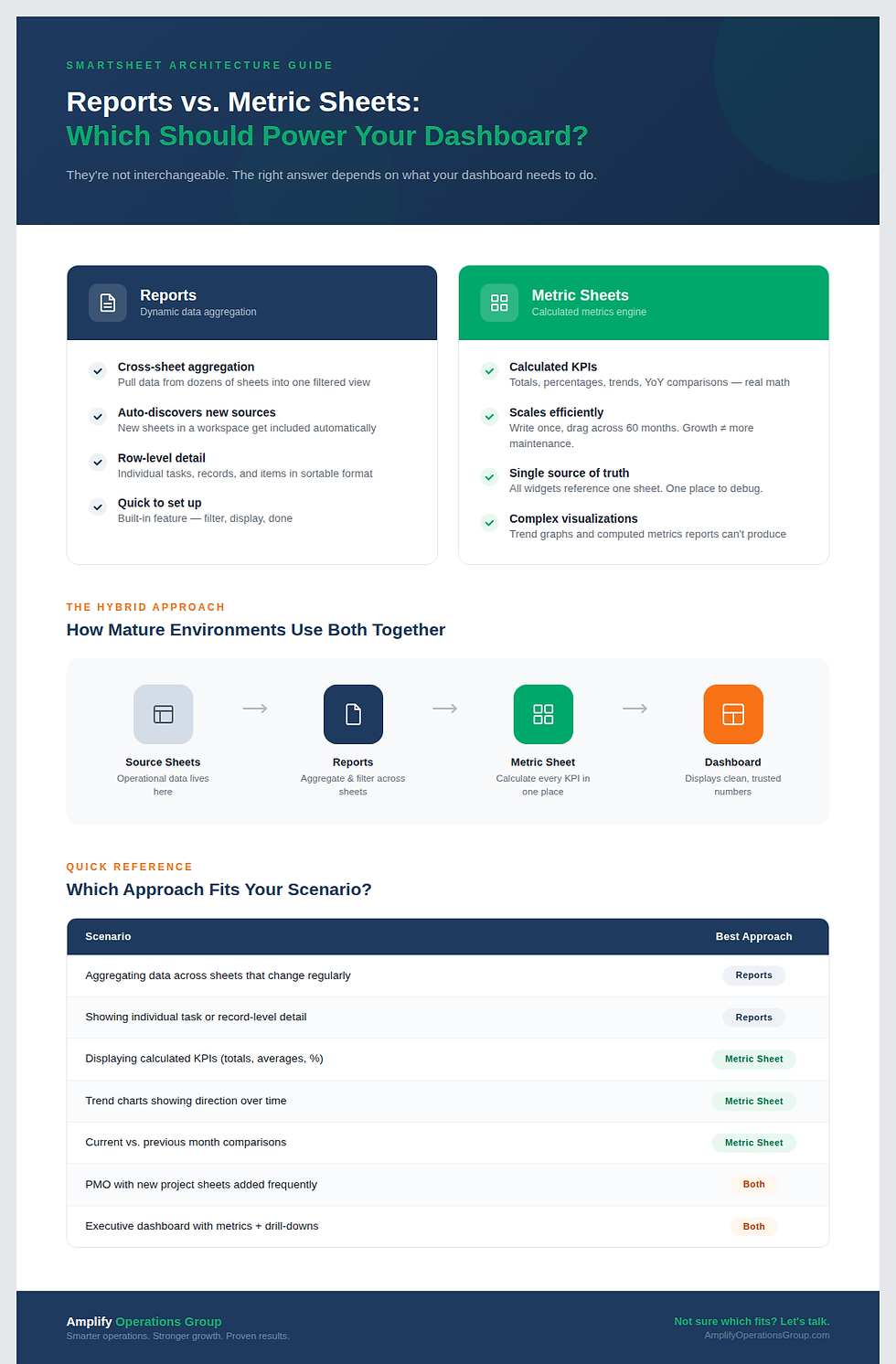
The Hybrid Pattern: Why Many PMOs Use Both
Here's what the "which tool is better" debate often misses: many mature PMOs don't choose one tool. They layer them.
A recurring pattern in practitioner forums is using Smartsheet for portfolio pipeline, governance, and executive reporting while running day-to-day project execution in another tool. One Reddit user explains that their organization "uses Smartsheet for vendor projects, but Monday.com for everything else" — choosing Smartsheet for the structured, externally facing work and Monday.com for faster-moving internal tasks.
The Smartsheet-plus-Jira combination is particularly common in technology organizations. One practitioner describes "thinking of using Jira for the project details, and maybe Smartsheet for the pipeline" — a pattern where Jira handles sprint-level execution and Smartsheet aggregates portfolio status. Another reports buying Control Center to centralize everything in Smartsheet but "it's not working out," leading to a deliberate pivot toward the hybrid architecture with automations bridging the two systems.
This hybrid approach maps naturally onto the 4-layer PMO architecture: Layers 3 and 4 (portfolio and executive) live in Smartsheet for data aggregation and reporting. Layer 2 (program) bridges the tools. Layer 1 (project execution) lives wherever the team is most productive.
The Decision Framework
The tool choice comes down to three factors:
Complexity of rollup needs. If your reporting stays at the project level, any tool works. If you need program-to-portfolio-to-executive aggregation with calculated health indicators, Smartsheet's data model has a structural advantage.
Team adoption speed. If getting teams to use the tool is your biggest challenge, Monday.com and Asana have lower learning curves. One reviewer notes Smartsheet is "less intuitive for a layman user" — a real trade-off when adoption is the bottleneck.
Scale trajectory. If you're at 30 projects heading to 300, building your portfolio architecture in Smartsheet now avoids a painful migration later. If you'll stay under 50 projects for the foreseeable future, the lighter tools may serve you well indefinitely. See the decision framework for choosing your PMO layer count.
Frequently Asked Questions
Can Monday.com handle portfolio management at all?
Monday.com has portfolio-level views and reporting features that work for simpler setups. The limitation arises when you need custom-calculated rollups, cross-program dependency tracking, or multi-level aggregation. Practitioners and analysts consistently describe these capabilities as Smartsheet's strength. For a PMO with 2-3 programs and straightforward health indicators, Monday.com's portfolio features may be sufficient.
What about ClickUp, Wrike, or Microsoft Project?
ClickUp is gaining traction for teams that want Asana-like usability with more depth. Wrike competes directly with Smartsheet for enterprise workflows. Microsoft Project remains the traditional choice for scheduling-heavy PMOs, with master-project rollups as the standard aggregation pattern. Each has trade-offs, but the fundamental question is the same: does the tool's data architecture support the governance layers your PMO needs?
Is it worth migrating from Asana/Monday to Smartsheet?
Migration is expensive in time and disruption. The trigger for most organizations is hitting the reporting wall — when you can’t build the portfolio-level visibility your executives need without exporting data and building reports manually. If that's happening weekly, the migration costs pay for themselves. If your current tool handles your current reporting needs, wait until it doesn't.
CTA: Not sure if your current tool stack can handle where your PMO is headed? Take the free Smartsheet Health Check to assess your architecture.


Comments